
Inside GymBud
See how GymBud fits your routine.
Explore how to prepare programs, follow your students and organize coaching payments.

01 · Programming
Build on your coaching method.
The program view and exercise editor let you adjust method, sets and repetitions. In the complete flow, contextual suggestions enter the Prescription Queue for you to review, adapt or dismiss before assignment.
The program you deliver becomes available in the Student App.
Explore programming02 · Student App
Your student trains and logs. You follow up.
Students open their program on their phone, check exercise instructions and log their training. Weights, check-ins and messages help you understand how they are following the program, including between in-person sessions with you.
Their records help you prepare the next conversation and review the program.
Explore the Student App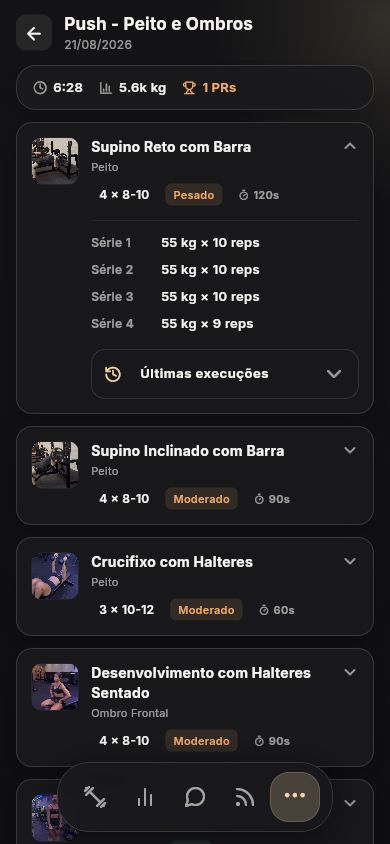
03 · Progress
See what changed and decide what comes next.
The screen shows the available records for the selected period. From that history, you can open a review, check the information, add your perspective and choose what to share with the student.
Your review guides the next program with the student's context close at hand.
Explore progress reviews
04 · Payments
See what is paid and what needs attention.
Check your students' plans, payments and due dates alongside their coaching information. Use these records to follow up on outstanding payments and organize the next period of coaching, without depending on a separate payment tracker.
Review payment conditions and fees before you start collecting payments.
Understand payments and renewals
Try it with your way of coaching.
Start with your programs and a few students to get to know the routine in GymBud.